
Hi this is Maria… Welcome to Maria’s Craftroom! Today we’ll be doing some coloring using a few freebies from JennyGollanDesigns newsletter and some stickers that came with the 2021 DigiBujo to make an easy weekly layout and a daily you can repeat throughout the week.
I’ve been a subscriber to the JGD newsletter for several years now, and I’ve accumulated lots of freebies. So many, that I keep them in a different photo album just to keep them straight! I love to mix and match stickers from different sticker packs, but sometimes I do look for things that match in color or have similar fonts. That’s what I’ve done here.
Instructions:
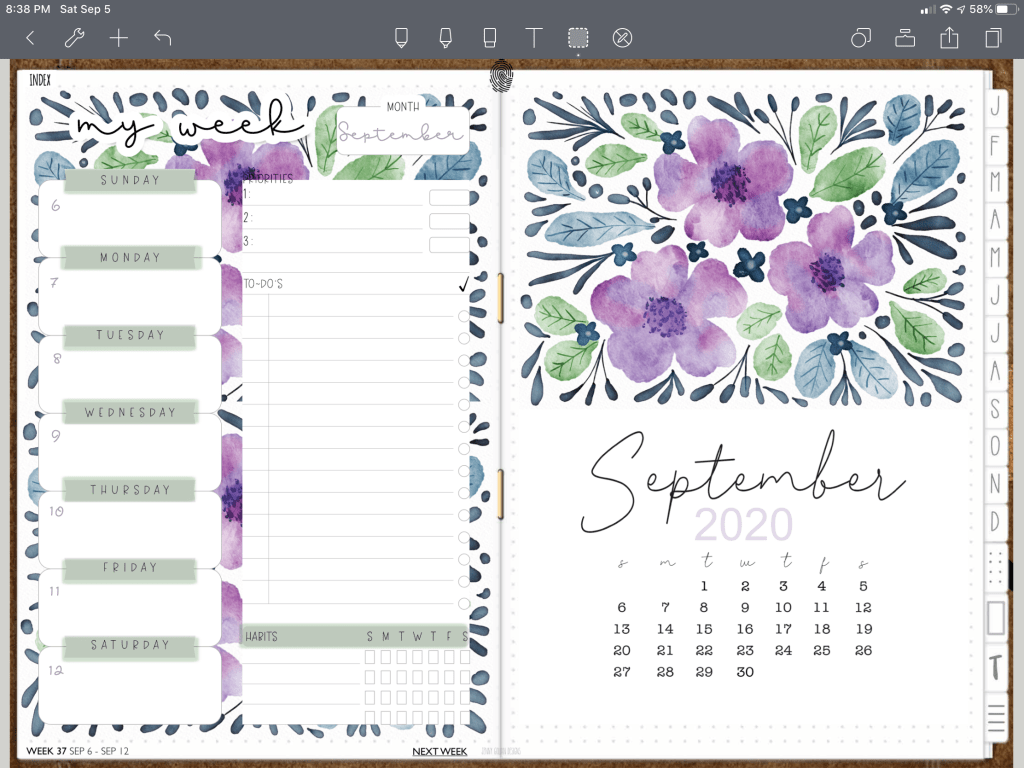
Open your favorite digital planner. I use the 2020 DigiBujo, but my tips will work on any brand planner you have with slight modifications. I selected the freebie stickers JGD included in the last newsletter and went looking for purchased stickers that matched in color to the ones I had already selected. The ones I did select came from my recent purchase of the 2021 DigiBujo. It had a weekly spread in one vertical sheet that I wanted in order to show off the beautiful monthly freebie on the other side of my spread. Then, I duplicated parts of the monthly page to form a background on under the weekly. Lock those images in place below the weekly (fabulous features of the Noteshelf app).
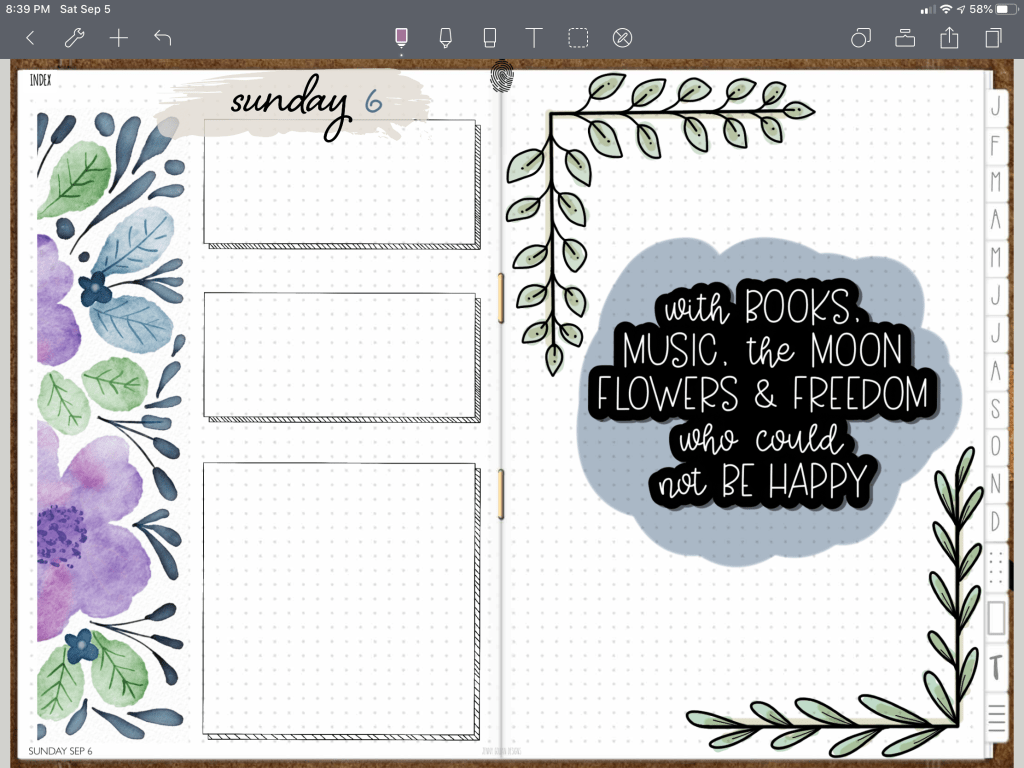
I then selected the matching font Zanzibar that goes with the weekly selected. I chose similar colors to use in highlighter and font to match the colors of my stickers again. Once that was done, I moved on to the daily page to complete the look by adding some color to some of the stickers. It is very easy to make my planner look custom by adding my own personality to my pages. You can easily lasso the entire page and paste to another page if you wish to keep using this layout for the rest of the week. Just remember to unlock the images before lasso/copy/paste.
Video Instructions:
🛍 Products Used in this video:
See disclosure below.
- Freebies from the last newsletter [JGD]
- Weekly and Sunday sticker included in purchase of 2021 DigiBujo: https://etsy.me/2EwmzuJ [JGD]
- Font Zanzibar: https://etsy.me/2QEnf3y [JGD]
✂️Use code MARIACOUPON to save 20% @JennyGollanDesigns
🌺Jenny Gollan Designs Facebook group: https://www.facebook.com/groups/DigitalPlannersWorldwide/
✍🏼Sign up for the Jenny Gollan Designs Newsletter for great info and freebies! It comes to you once a month. Sign up here: http://eepurl.com/0QFc9
Disclosure:
Crafting: All products were personally purchased. My videos express my experience and my personal opinion of the products I use. I do not work for nor represent any of these companies. I do not do sponsored videos.
Digital: I am a brand ambassador for Jenny Gollan Designs. However, I only show products I like and use myself. I either buy them, or get them at a discount unless otherwise identified as freebies.

 Maria’s Craftroom