
Hi this is Maria… Welcome to Maria’s Craftroom! Today we’ll be creating an Easy Layout using stickers, and I’ll be showing some NEW updates to Noteshelf such as Rotating Text & Handwriting, Bring to Front, Send to Back, adding Multiple Images and new iOS14 Scribble Features.
Instructions:
Open your favorite digital planner. Today I’ve added images into my planner from the Photo Roll album using the drag n drop method to make a Halloween themed weekly spread. Layer in the images you want and then use highlighters to add more color.
Begin to explore the new features introduced by Noteshelf this week by going to the top row menu. The Wrench Tool and + Tool have some new features including new included free images and the ability to load in lots of images into Noteshelf at once. DropBox allowed me to move over 30 images at once. Perfect for moving all the numbered day stickers. Once all in, you can lasso and size them all together. Perfectly sized numbers make me very happy.
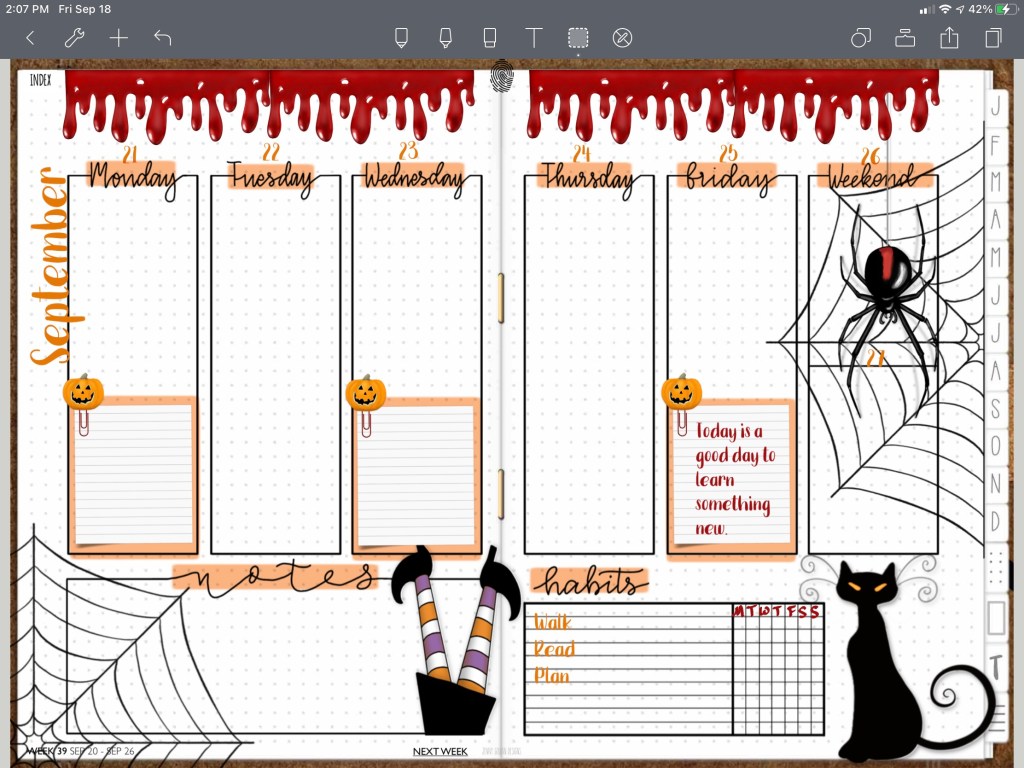
The Lasso has been improved as well allowing rotation of handwriting and text. This is within the resize feature of the lasso. Along with send to the back and bring to the front features of the lasso, these are all fabulous new additions that will make digital planning so much easier.
iOS14 has added the Scribble function to the pencil. Very handy as an alternative to the traditional convert to text we had before by tapping with your finger in the Text Tool. Now, from Text Tool, you can tap with the pencil to open the new tool with all the new Scribble features including handwriting to text, delete, select, insert, join. All iOS new features. Unfortunately, the new iOS has broken the ability to use all purchase fonts on your device, but favorited fonts are still there. So I am patiently awaiting Noteshelf support to fix that inconvenience.
Video Instructions:
📖Previously known as http://www.youtube.com/MariasDigitalPlanning
🛍 Products Used in this video:
See disclosure below.
- 2020 DigiBujo: https://etsy.me/2T08xny
- Weekly: http://etsy.me/2CTMDd9
- Halloween: https://etsy.me/2BXgvce
- Font Bakery Bread: https://etsy.me/2YTYFxV
✂️Use code MARIACOUPON to save 20% @JennyGollanDesigns
🌺Jenny Gollan Designs Facebook group: https://www.facebook.com/groups/DigitalPlannersWorldwide/
✍🏼Sign up for the Jenny Gollan Designs Newsletter for great info and freebies! It comes to you once a month. Sign up here: http://eepurl.com/0QFc9
Disclosure:
Crafting: All products were personally purchased. My videos express my experience and my personal opinion of the products I use. I do not work for nor represent any of these companies. I do not do sponsored videos.
Digital: I am a brand ambassador for Jenny Gollan Designs. However, I only show products I like and use myself. I either buy them, or get them at a discount unless otherwise identified as freebies.

 Maria’s Craftroom