
Hi this is Maria… Welcome to Maria’s Craftroom! Today we’re making a weekly layout in Procreate. We will import a color pallet using an image and play with some of the new features of Procreate.
Instructions:
The Procreate App has recently updated. I will show a few of the updates today to show how easy it is to make your digital planner be exactly how you want it to be. Most of us struggle to find “planner peace” where you are completely happy with your planner. Working digitally makes it easier to achieve this goal by simply modifying in order to get what you want.
First, open your favorite planner in your favorite note taking app. I prefer Noteshelf, but there are several out there. Export the planner page into Procreate so that you have the planner page itself to work in. Then, select an image with colors you want to play with. I’m using fall colors today. In Procreate, select the color dot to open your pallets. At the top right, click + to add a pallet. You now have a new option to “add pallet from photo”. This is SOOOO helpful because it pulls all the colors from your selected image and creates a color pallet for you! It’s very easy.
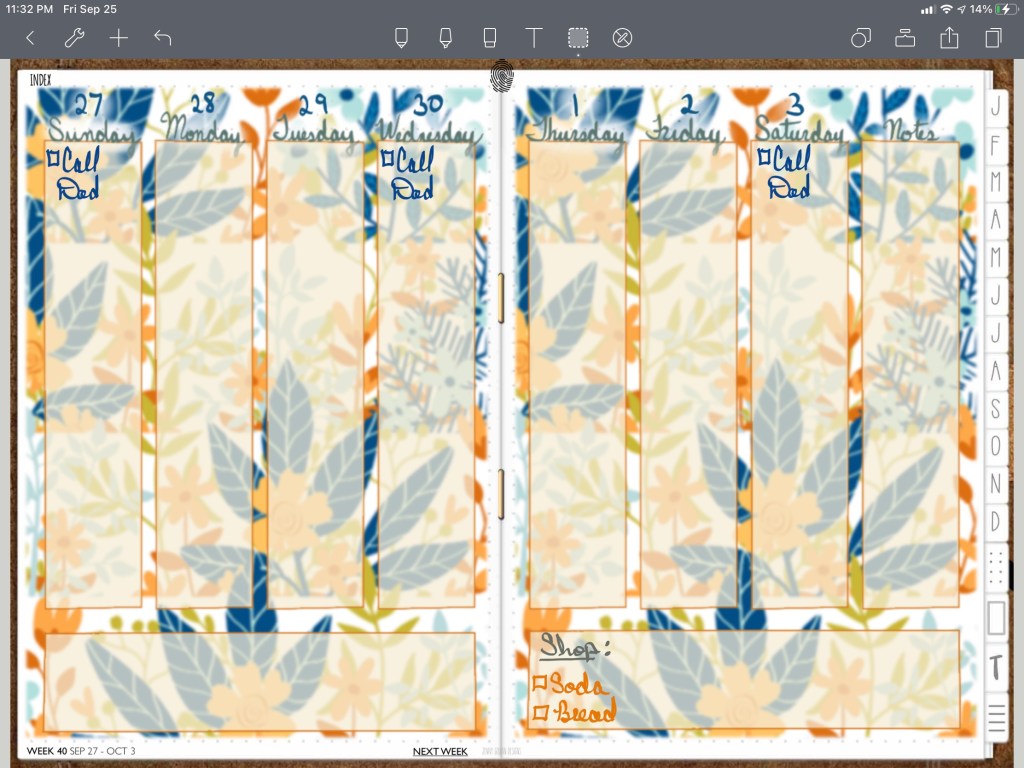
Next, I use brushes to freehand the lines of my weekly spread. Simple boxes make the days of the week. Use color fill with the new features in the Procreate S tool. You now have additional tools handy at the bottom such as copy/paste and color fill. Super handy to have those tools so handy. I tend to group layers in order to move things together to make my page layout fit better.
Once I’m happy with the layout, save the image to camera roll and add it to your note taking app. You can reuse it anywhere (it’s a png picture file). I dropped it right into Noteshelf, locked my image, and continued to write in the rest of my changeable information onto the layout. That’s it!
Video Instructions:
💗Don’t forget to subscribe, give me a thumbs up 👍🏻, and click the notification bell 🔔 so you will know when I post new videos.
📖Previously known as http://www.youtube.com/MariasDigitalPlanning
🛍 Products Used in this video:
See disclosure below.
- 2020 DigiBujo: https://etsy.me/2T08xny
- Background: https://etsy.me/2WSkSOP
- Outliner Brush: Illustration Pack https://etsy.me/2D4jVLc
- FlatTop Brush: Essential Lettering https://etsy.me/2Y21lfY
✂️Use code MARIACOUPON to save 20% @JennyGollanDesigns
🌺Jenny Gollan Designs Facebook group: https://www.facebook.com/groups/DigitalPlannersWorldwide/
✍🏼Sign up for the Jenny Gollan Designs Newsletter for great info and freebies! It comes to you once a month. Sign up here: http://eepurl.com/0QFc9
Disclosure:
Crafting: All products were personally purchased. My videos express my experience and my personal opinion of the products I use. I do not work for nor represent any of these companies. I do not do sponsored videos.
Digital: I am a brand ambassador for Jenny Gollan Designs. However, I only show products I like and use myself. I either buy them, or get them at a discount unless otherwise identified as freebies.

 Maria’s Craftroom