

Today we’re talking a little tour around my blog – www.MariasCraftroom.com Welcome to my Craftroom! Let’s take a look at this together and see what all I’ve put together for you.
I am a general crafter. I spend my time making things I like to make, and blog about my process. I am also a Stampin’ Up Demonstrator. This means that I now sell most of the products I am showing you. If you would like to purchase anything I show, just click on the Shop button across the banner. Anything I don’t sell will be clearly noted.
Here’s a video walkthrough of this website. Keep reading if you would rather see pictures and text instead.
Tabs:
Just below the logo, across the top of the page, you will find clickable links to all my social media, and tabs to all the content on this website.
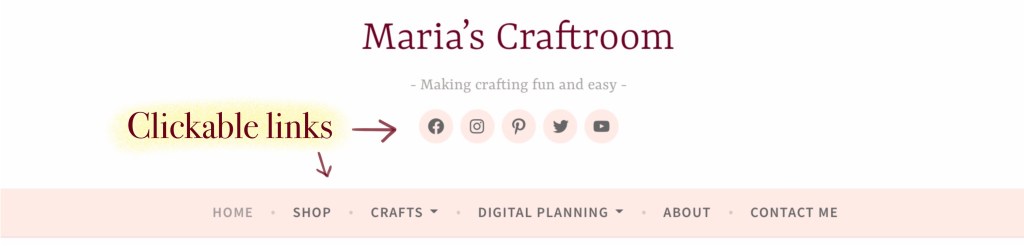
The Home tab will show you all the current posts with an archive at the bottom of the right hand side.
The Shop tab will take you to my Stampin’ Up store landing page. This is one place to find the current Host Code.
The Crafts tab and the Digital Planning tabs group the blog posts into categories.
The About tab tells you a bit about me.
The Contact Me tab is the best way to contact me.
- Contact your usual Demonstrator to request a Stampin’ Up Catalog.
- If you don’t already have a Demonstrator, then feel free to use the Contact Me tab to let me know that you need a new Catalog, make sure to include your mailing address, and I’ll get one out to you.
Host Code:

Down the right side of the blog, you will find the current Host Code. The “Apply Code and Shop Now” button will apply it for you as it takes you to my Stampin’ Up store.
- What is a Host Code? This gives me Stampin’ Rewards that I then use to buy special thank you gifts. If you shop with me and spend $50 to $149, I will send you a gift at the end of the month. If you spend $150 or more, do NOT use my host code. You qualify for your own Stampin’ Rewards.
Newsletter:
Just below that is the Newsletter sign up. This will go out once a month to catch you up on recent information. On occasion, I will publish an extra one if there are specials or news that needs to get out to you quickly. There is also an archive area on the lower right side that will show you older posts.
Find your Demonstrator and Host Code:
Click on the Shop tab from the top banner, or click the button “Apply the code and shop now”. Both will take you to the Stampin’ Up store.
Look for my name at the top left. Click on my name to show you if the current host code is already applied. You may remove the host code here. If my name is NOT there, you may search by name to find a Demonstrator.

Find What’s New and Specials:
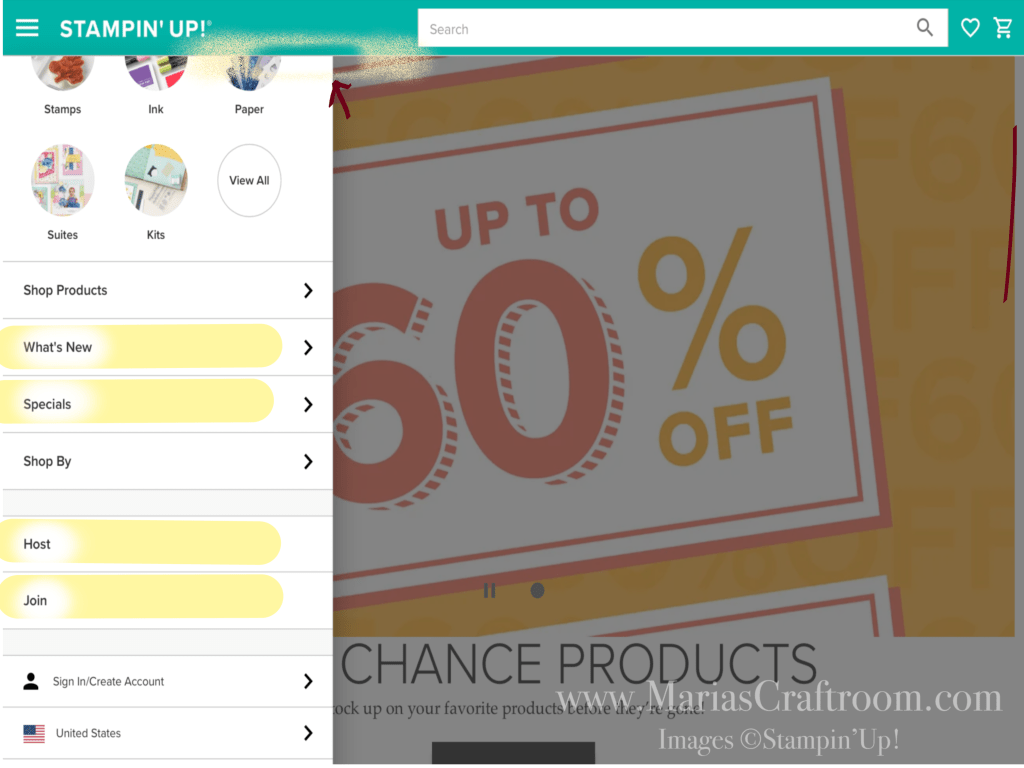
Scroll down a bit to find the What’s New and Special sections as well as Host and Join sections.
Important dates:
Last Chance Product Sale: 4 April – 1 May 2023
Stampin’ Up 2023-2024 Catalog goes live: 2 May 2023
Don’t forget to follow my Social Media for more updates:
- 💗Facebook Page: https://www.facebook.com/MariasCraftroom/
- 💗Facebook Group: https://bit.ly/MariasCraftroomCommunity
- 💗Instagram: https://www.instagram.com/mariascraftroom

 Maria’s Craftroom